Product guide
How FitBond works: Bonds, deposits, verification and fees
FitBond lets you put a deposit on your own follow-through. You choose a measurable fitness goal, connect the data source that will verify it, and pay a deposit when the Bond is created. Meet the goal and the deposit comes back. Miss it and it does not. This page explains each step, using the published terms and real app screens.
The five steps of a Bond
- 01
Choose how your progress is tracked
Pick the source that will verify the goal: Apple Health, Strava, WHOOP, Polar, Withings or a gym check-in by location. Once it is connected, progress is recorded automatically; there is no manual logging.
- 02
Set a goal you can measure
Name the activity, the measure and the period: for example, 12 gym visits of at least 45 minutes in 30 days, or a daily step count. The goal, deposit, duration and Bond type cannot be changed once a payment has been taken.
- 03
Choose the Bond type
A Fit Bond is your own goal. Head to Head is two people on the same goal. In a Team Bond everyone is judged on their own goal and keeps their own deposit if they meet it. A solo Fit Bond can get backed: if at least two friends have paid a pledge by the start date, a missed deposit goes to the charity you chose, less the platform fee. Otherwise it runs as a regular Fit Bond.
- 04
Pay the deposit
The deposit is charged when you create or accept the Bond, by card or Apple Pay through Stripe. You can cancel your own participation for a full refund within 24 hours of joining.
- 05
Meet the goal, or don’t
If you meet the goal, your deposit comes back as Coupons, plus any share due under the Bond’s rules. If you miss it, the deposit is distributed under the Bond type’s rules, which are shown before you join.
Real screens from a gym Bond
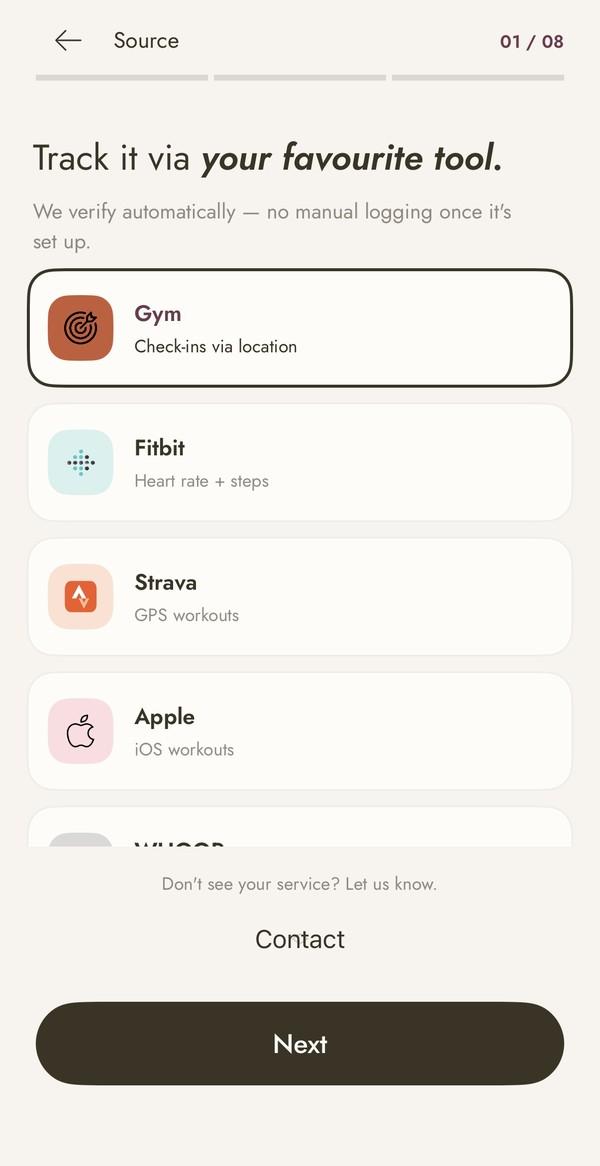
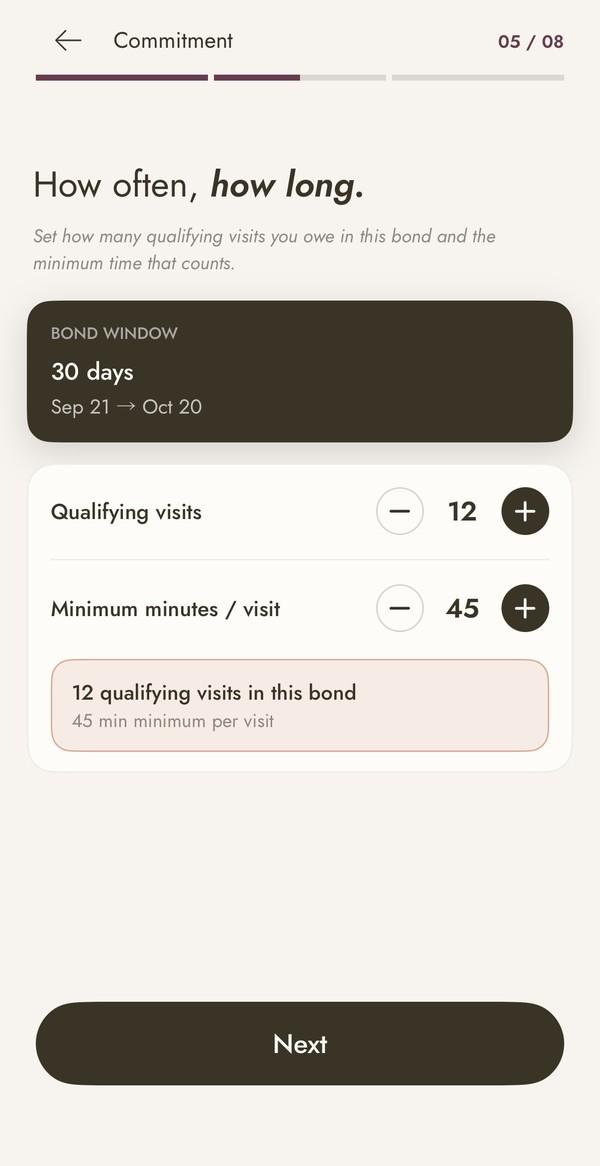
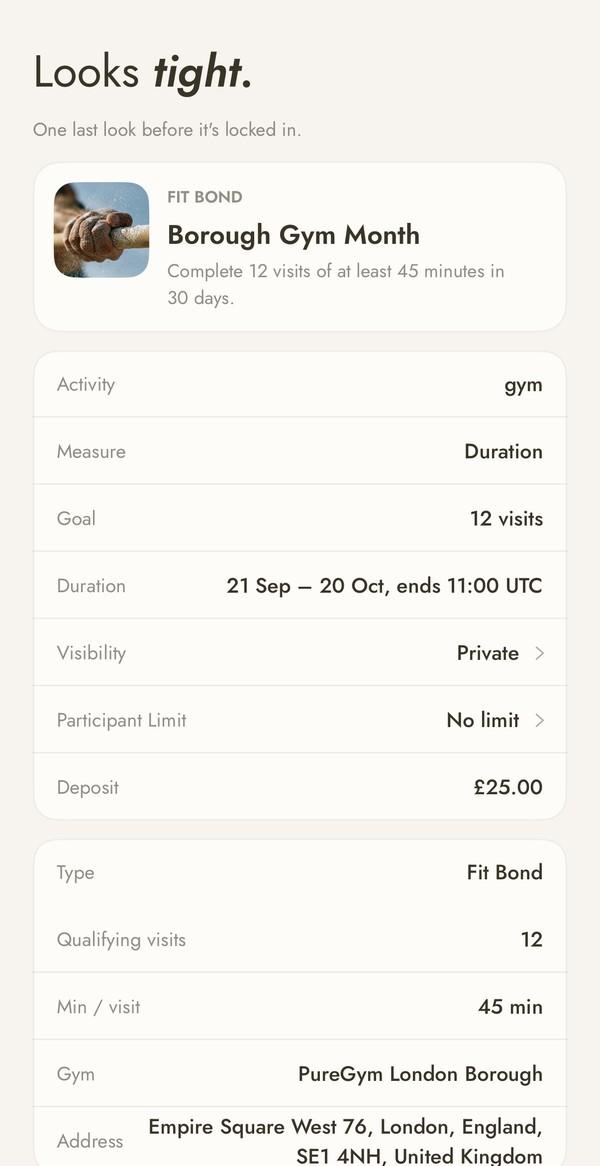
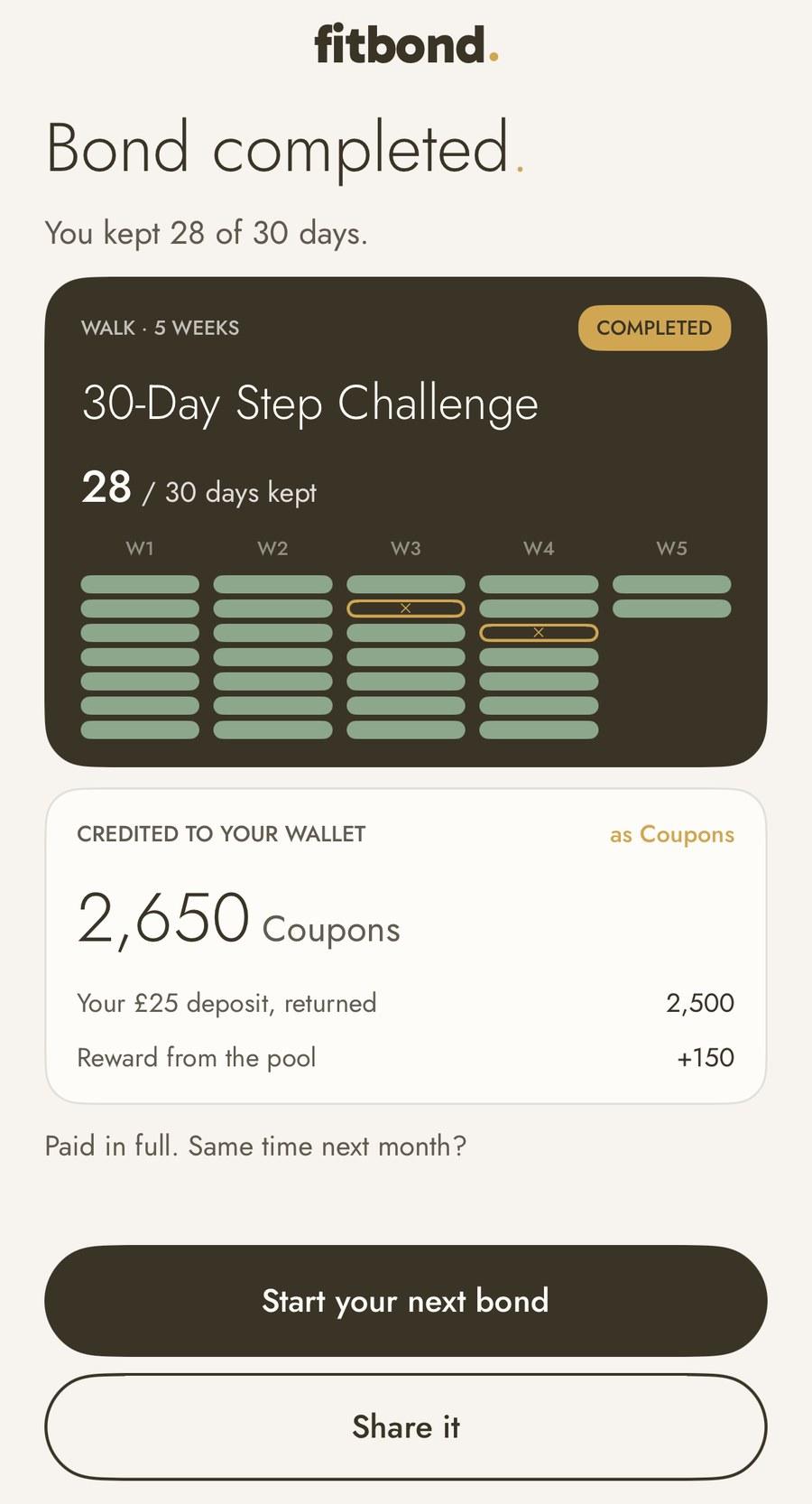
How verification works
Apple Health data used for Bond progress is processed on your phone, and only the resulting progress is sent to FitBond. Strava and WHOOP sync every few hours; Polar and Withings sync daily and when a Bond is settled. Gym Bonds use your phone’s location to confirm a visit; location is used only for that check. Data from trackers can be late or wrong, so the terms explain how a result is decided and how to query it.
Fees and subscription
- Creating paid Bonds needs FitBond Pro: £7.99 a month or £59.99 a year, after a free trial (7 days monthly, 14 days annual). Apple handles billing.
- The platform fee is 15%. It is taken from the deposits that were missed, not from people who met their goal, so a person who meets the goal gets their full deposit back. The fee is fixed when the Bond is created and shown before you join.
- Coupons are cash-equivalent credit in your FitBond wallet. Bank withdrawals have a normal £10 minimum and the checks set out in the terms.
If you think a result is wrong
You can query a day or a result from the Bond’s page in the app while it is running and for 7 days after it settles. FitBond may ask for evidence such as a screenshot from your tracker or gym, and normally replies within 5 working days. If a query is upheld after settlement, the difference is credited as Coupons.
Sources
- FitBond Terms of ServiceFitBond
- FitBond Privacy PolicyFitBond
- FitBond integrationsFitBond
- FitBond waitlistFitBond
Join the FitBond launch list
FitBond is preparing for launch, iOS first. Join the list for early access; there is no payment to join.
Join the FitBond launch list